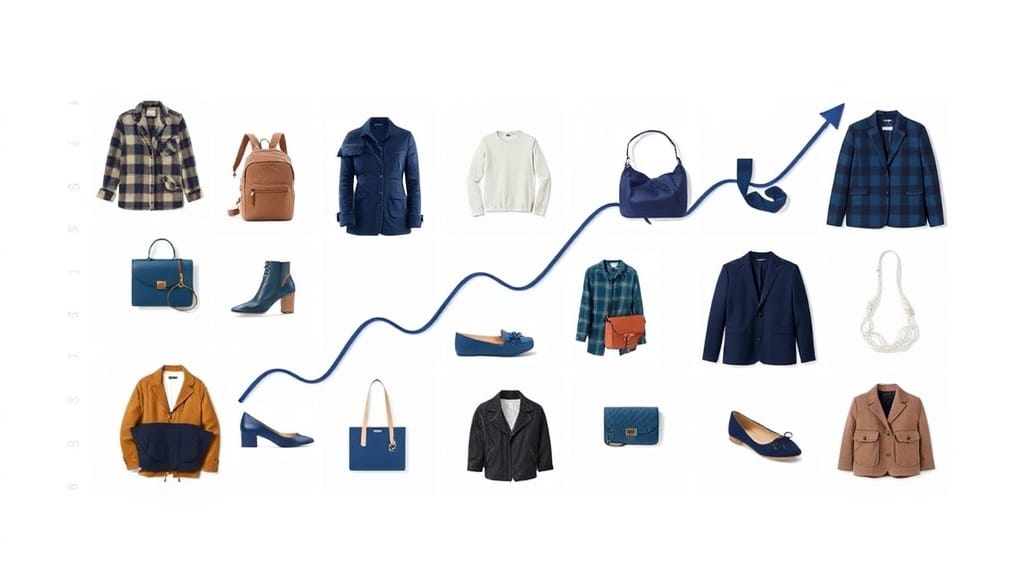
Your products might be exceptional, but if your images don't show it, you're leaving money on the table. Research consistently shows that product photography is the single most influential factor in online purchasing decisions — more than descriptions, reviews, or even price.
In this comprehensive guide, we break down exactly how professional product images drive eCommerce sales, what good conversion rates look like, the measurable ROI of investing in photo editing, and how to optimise your images for maximum impact.
With two decades of experience and 500+ eCommerce clients, Pixel By Hand has seen first-hand how the right images transform business performance.
Table of Contents
- The Numbers: How Images Impact eCommerce Performance
- What Is a Good eCommerce Conversion Rate?
- How Product Images Directly Drive Sales
- Reducing Returns Through Better Product Photography
- The ROI of Professional Photo Editing
- A/B Testing Your Product Images
- Key Metrics Beyond Conversion Rate
- Common Mistakes That Kill Conversions
- How Professional Photo Editing Improves Your Images
- Getting Started With Pixel By Hand
- FAQ
The Numbers: How Images Impact eCommerce Performance
Before diving into strategy, let's look at the data. The relationship between image quality and eCommerce performance is well-documented:
| Metric | Impact of High-Quality Images | Source |
|---|---|---|
| Purchase decisions | 93% of consumers say product images are the most critical factor | Justuno / Amazon consumer survey |
| Customer expectations | 78% of online shoppers want images that bring products to life | Meero |
| Etsy purchase factor | 90% of Etsy shoppers say photo quality was the deciding factor | Etsy Seller Handbook |
| Returns due to poor images | 22% of returns happen because the product didn't match photos | Adobe |
| Colour-related returns | 11% of returns are specifically due to inaccurate colour representation | Industry data |
| Consumer trust | 46% of consumers find it easier to trust businesses with genuine, high-quality images | Flatworld Solutions |
| Image vs. text processing | Humans process images 60,000 times faster than text | Various studies |
| Quality perception | 67% of customers say image quality is a main deciding factor when purchasing | Consumer surveys |
The message is clear: product images aren't just decoration. They are your most powerful sales tool.
What Is a Good eCommerce Conversion Rate?
Understanding the Basics
Your conversion rate is the percentage of website visitors who complete a desired action — typically making a purchase. The formula is straightforward:
Conversion Rate (%) = (Number of Conversions / Number of Visitors) x 100
For example, if your store receives 1,000 visitors and 30 make a purchase, your conversion rate is 3%.
Industry Benchmarks
The average eCommerce conversion rate sits between 2.5% and 3%. A rate of 3% or above is generally considered good, though this varies significantly by industry and context.
Several factors influence your benchmark:
- Price point. Higher-priced items naturally see lower conversion rates. Most conversions decline noticeably above £50, again above £150, and significantly above £500, as consumers take more time deliberating larger purchases.
- Traffic source. Visitors from paid ads or blog content convert at lower rates than returning customers or social media followers — but they represent new audience growth.
- Purchase type. Subscription models typically see lower conversion rates than one-off purchases, as consumers weigh the ongoing commitment more carefully.
- Product niche. Specialist stores with unique products often outperform generalist retailers, even with less traffic.
The key takeaway: don't obsess over hitting an arbitrary number. Benchmark against your own industry, then focus on continuous improvement — and product images are one of the highest-leverage areas to improve.
How Product Images Directly Drive Sales
First Impressions Are Visual
When a visitor lands on your product page, the image is the first thing they look at — every time. Think about your own behaviour on Amazon: do you read the description first, or look at the photos? Everyone does the same thing.
This isn't accidental. Amazon positions images at the top of every listing, above the description and bullet points. They've tested this exhaustively. Images sell.
Building Trust Without Physical Contact
One of eCommerce's fundamental challenges is that customers cannot touch, feel, or try your products. High-quality images bridge this gap by:
- Creating a realistic representation of the product's appearance, texture, and scale
- Showing multiple angles so buyers can inspect the item as they would in-store
- Demonstrating colour accuracy so expectations match reality
- Conveying quality — professional images signal a professional business
A website with crisp, well-lit product photography is perceived as more trustworthy and reputable. Conversely, blurry or poorly lit images make products appear cheap and the business untrustworthy, regardless of the actual product quality.
The Personalisation Connection
Recent surveys reveal that 54% of consumers expect personalised experiences when interacting with businesses, and roughly 90% are willing to spend more with brands that deliver personalisation. High-quality, detailed product images — including lifestyle shots, zoom capability, and variant-specific photography — contribute directly to this sense of a curated, premium shopping experience.
Reducing Returns Through Better Product Photography
Returns are one of the largest hidden costs in eCommerce. Online retailers experience 15–30% return rates, compared with only 8–10% for traditional retail. This gap directly erodes profit margins through shipping costs, restocking fees, and lost inventory value.
A significant portion of returns stem from image-related issues:
- 22% of returns happen because the product didn't look like the photos
- 11% of returns are specifically due to inaccurate colours
Professional photo editing directly tackles both problems.
How Editing Reduces Returns
Colour correction adjusts hue, saturation, and brightness so that the colours customers see on screen match reality as closely as possible. When your product arrives looking exactly as photographed, return rates drop.
Consistent lighting and retouching removes distracting imperfections — dust spots, wrinkles, uneven shadows — so the product is represented accurately without misleading alterations. The goal isn't to make products look different from reality; it's to remove photographic artefacts that misrepresent the product.
Ghost mannequin photography displays clothing on a mannequin during the shoot to show realistic fit and drape, then removes the mannequin in post-production. This gives customers a genuine sense of how a garment looks when worn — without the expense of hiring models for every item.
Zoom-quality detail ensures images maintain clarity when customers zoom in, mimicking the in-store experience of examining a product up close. This is particularly important for clothing, footwear, and accessories where texture and detail influence buying decisions.
Every return you prevent is money saved on shipping, restocking, and customer service — plus you retain the sale.
The ROI of Professional Photo Editing
Many businesses assume that because they've already invested in product photography, they can skip the editing stage to save money. This is a false economy.
The True Cost of Poor Images
- Lost sales from visitors who leave because images look unprofessional
- Higher return rates from products that don't match customer expectations
- Lower search visibility from unoptimised images that slow down your site
- Wasted ad spend driving traffic to product pages that don't convert
How Outsourcing Saves Money
Compared with in-house editing:
- No need to hire full-time editors or invest in Photoshop licences and training
- No expensive studio equipment for re-shoots — editing can correct many issues from the original shoot
- Professional editors deliver faster turnaround (Pixel By Hand guarantees 24 hours or less)
- Consistent quality across your entire catalogue
During the shoot itself:
Professional retouching reduces the time needed on set. For example, when shooting flat-lay product photography, stylists pin items to foam boards to reduce shadows. These pins are visible in the raw photos but are quickly removed in post-production — saving both the stylist's time during the shoot and allowing more products to be captured in less time overall.
Editing can also create colour variants from a single shoot. Rather than photographing the same dress in five colours — five setups, five lots of studio time — you can photograph one and have the others colour-corrected in post-production. The time and cost savings are substantial.
Across marketing channels:
Professionally edited product images are reusable across your website, social media, email marketing, marketplace listings, and print materials. One well-edited image works everywhere, whereas a poorly shot or unedited image often needs reworking for each channel.
High-quality product images also generate organic social shares. People share content that looks professional and visually appealing, which means your images can drive brand awareness on Instagram, Pinterest, and TikTok without any paid advertising.
Ready to see the difference professional editing makes? Send us your images for a free sample edit — no obligation, no cost.
A/B Testing Your Product Images
One of the most underused strategies in eCommerce is A/B testing product images. Most businesses test landing pages, ad copy, and email subject lines — but neglect the images that buyers interact with first.
What Is Product Image A/B Testing?
Product image conversion rate is the percentage of interactions (clicks, add-to-carts, purchases) an image generates compared with the number of times it's been displayed. By comparing two versions of a product image side by side, you can identify which drives more conversions and remove the underperformer.
How to Get Started
- Install analytics tracking. Google Analytics is an excellent starting point. Monitor clicks, interactions, and impressions on product images.
- Test one variable at a time. Background colour, angle, lighting, lifestyle vs. studio shot — change one element per test.
- Run tests for meaningful periods. Allow enough traffic to reach statistical significance before drawing conclusions.
- Iterate continuously. Image optimisation isn't a one-off task. The best eCommerce businesses test and refine their imagery constantly.
What to Test
- White background vs. lifestyle/contextual setting
- Single product vs. product in use
- Number of images per listing (more angles vs. fewer, cleaner options)
- Hero image angle (front-on vs. three-quarter vs. detail shot)
- Image zoom behaviour and resolution
Even small improvements in product image conversion rate compound across your entire catalogue. A 0.5% uplift on a single product page might seem modest, but multiplied across hundreds of SKUs it translates to meaningful revenue growth.
Key Metrics Beyond Conversion Rate
Conversion rate is important, but it's not the only metric that matters. These supporting metrics all contribute to — and are influenced by — your image quality:
| Metric | What It Measures | How Images Affect It |
|---|---|---|
| Bounce rate | % of visitors who leave after one page | Poor images drive immediate exits |
| Average time on site | How long visitors browse | High-quality images keep users engaged longer |
| Pages per session | How many pages visitors view | Compelling images encourage exploration |
| Cart abandonment rate | % who add to cart but don't buy | Inconsistent or misleading images increase doubt at checkout |
| Average order value | Average spend per transaction | Professional images support upselling and cross-selling |
| Click-through rate | % who click from search/ads to product page | Thumbnail image quality directly impacts CTR |
| Return rate | % of purchased items returned | Accurate images reduce "not as described" returns |
Improving image quality creates a positive ripple effect across all of these metrics simultaneously.
Common Mistakes That Kill Conversions
Through a decade of working with eCommerce businesses, we've seen the same image mistakes repeatedly:
- Using low-resolution or blurry images. If customers can't see the product clearly, they won't buy. Full stop.
- Inconsistent image quality across the catalogue. A mix of professional and amateur photos makes the entire store look unprofessional.
- Ignoring platform requirements. Amazon, Shopify, eBay, and social media platforms each have specific image size, format, and background requirements. Non-compliance can result in cropped, distorted, or rejected listings.
- Neglecting mobile optimisation. Over half of eCommerce traffic comes from mobile. Images must look sharp on smaller screens.
- Assuming one image is enough. Customers want to view products from multiple angles. More high-quality images generally means higher conversion rates.
- Skipping colour correction. What looks accurate on a studio monitor can appear completely different on a customer's phone or laptop. Professional colour correction accounts for this.
How Professional Photo Editing Improves Your Images
Even the best raw product photography benefits from professional editing. Here's what a skilled editor brings to your images:
- Background removal — clean white backgrounds for marketplace compliance (Amazon, Shopify) and visual consistency
- Colour correction — accurate, vibrant colours that match the real product across different screens
- Retouching — removal of dust, scratches, wrinkles, pins, and other imperfections
- Cropping and alignment — consistent framing across your entire catalogue
- Shadow and reflection effects — natural-looking shadows that add depth and professionalism
- Ghost mannequin editing — realistic clothing presentation without visible mannequins
- Image optimisation — file size reduction for fast page loading without sacrificing quality
The result: images that look professional, load quickly, comply with platform requirements, and — most importantly — sell more products.
Getting Started With Pixel By Hand
At Pixel By Hand, we've spent two decades perfecting product images for 500+ eCommerce businesses worldwide. We specialise in:
- Background removal for clean, marketplace-compliant listings
- Colour correction that matches reality
- Product retouching that removes imperfections without misrepresenting the product
- Clipping paths for precision image isolation
- Full eCommerce photo editing tailored to your brand and platform requirements
We guarantee a 24-hour turnaround regardless of order size, competitive pricing, and a dedicated editing team that learns your brand's style and standards.
Start your free trial today — send us your images and we'll show you the difference professional editing makes. All sample edits are completely free, with no obligation.
FAQ
How much do product images actually affect eCommerce sales?
Significantly. Studies show that 93% of consumers consider product images the most important factor in their purchase decision, and 90% of Etsy shoppers say photo quality was the deciding factor. Professionally edited images directly improve conversion rates, reduce return rates, and increase customer trust.
What is a good conversion rate for an eCommerce store?
The average eCommerce conversion rate is 2.5–3%. A rate of 3% or above is generally considered good, though this varies by industry, price point, and traffic source. Higher-priced items and subscription products typically see lower conversion rates. The most important thing is to benchmark against your own industry and focus on continuous improvement.
Can professional photo editing really reduce product returns?
Yes. Online return rates range from 15–30%, and 22% of returns happen because the product didn't match the photos. Professional colour correction, retouching, and consistent image quality ensure customers receive exactly what they expect, which directly reduces "not as described" returns and the associated costs.
Is outsourcing photo editing cheaper than doing it in-house?
In most cases, yes. Outsourcing eliminates the cost of hiring full-time editors, purchasing software licences, and ongoing training. Professional editing services like Pixel By Hand also deliver faster turnaround times and consistent quality, with the flexibility to scale up or down with your catalogue size.
How do I know which product images perform best?
A/B testing is the most reliable method. Use analytics tools like Google Analytics to track clicks, interactions, and conversions for different image variants. Test one variable at a time — background, angle, lighting, or context — and allow enough traffic for statistically significant results before making changes.
What image specifications do major eCommerce platforms require?
Requirements vary by platform. Shopify recommends images of at least 1200x1200 pixels. Amazon requires a pure white background for main listing images. Instagram requires square format for standard posts. A professional photo editing service ensures your images meet all platform requirements, so your listings are never rejected or distorted.
Pixel By Hand is a specialist eCommerce product photo editing service with two decades of experience and 500+ clients worldwide. Get your free sample edit today.